Add Documents
Miscellaneous Documents can be assigned to a PO in order to maintain these documents with the PO. A variety of document files can be uploaded by a Super Admin, PO Manager or PO Editor role.
Upload a Document
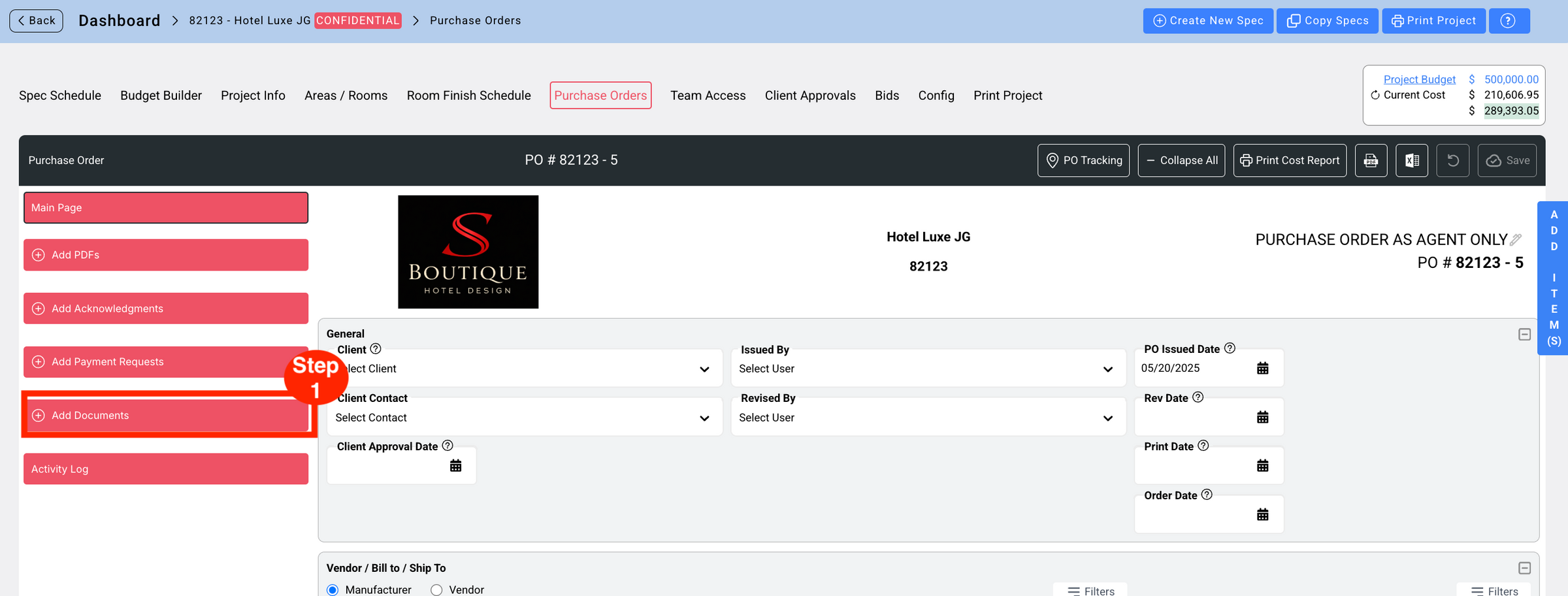
- Step 1: Click on the red button ‘Add Documents.’
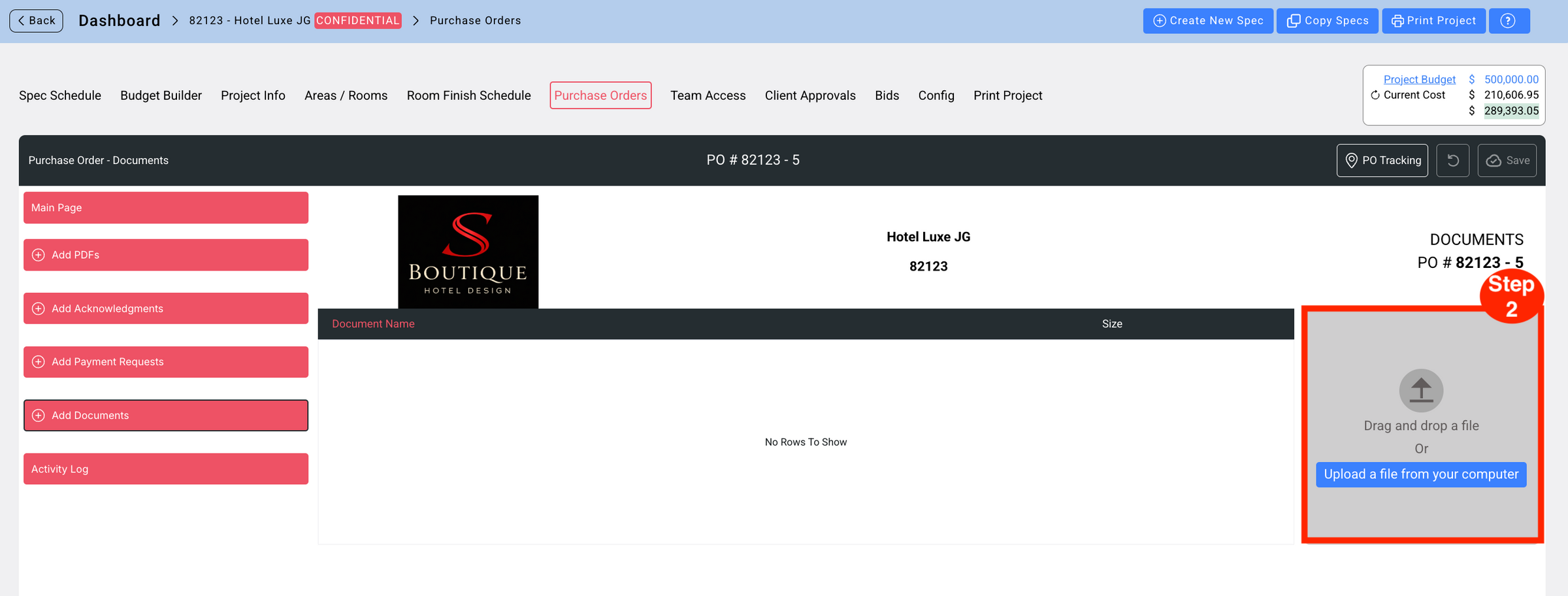
- Step 2: Drag and drop a file or Upload a file from your computer.
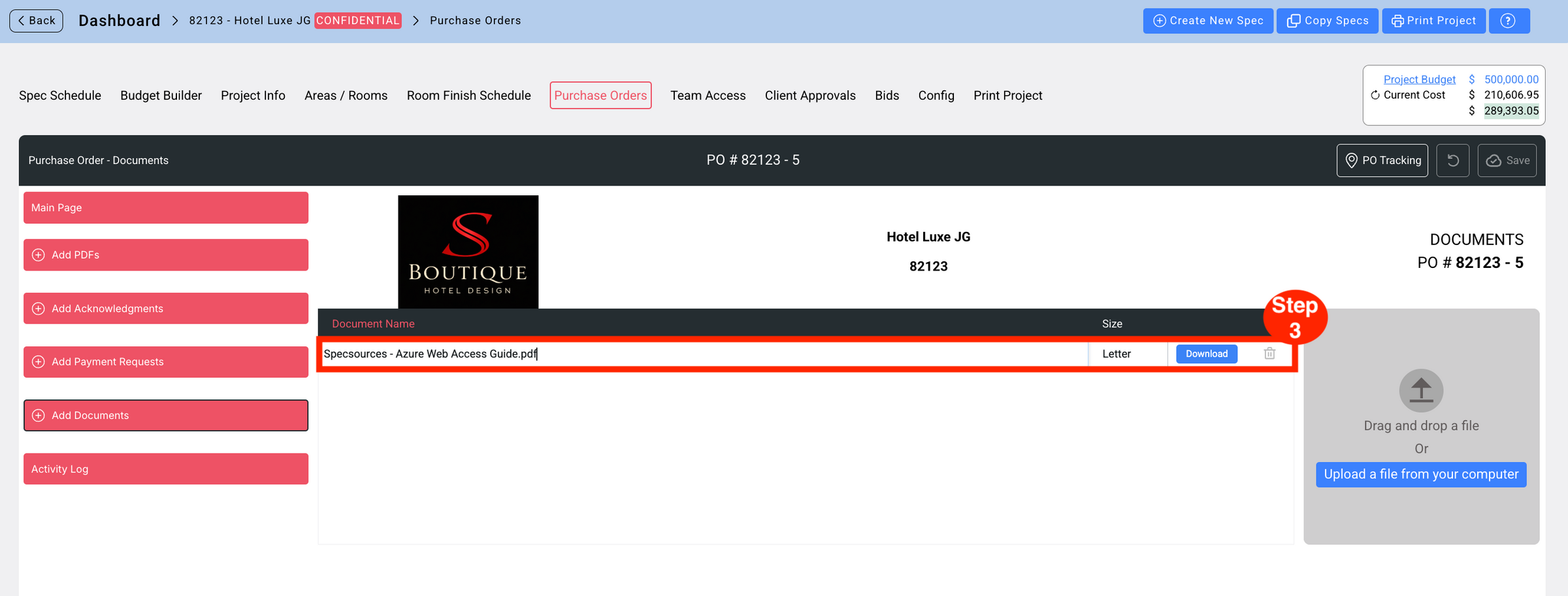
- Step 3: Confirm the document was added to the list.