Add Acknowledgements
Acknowledgements can be assigned to a PO in order to maintain these documents with the PO. Acknowledgements files can be uploaded by a Super Admin, PO Manager or PO Editor role.
Upload an Acknowledgement (6 Steps)
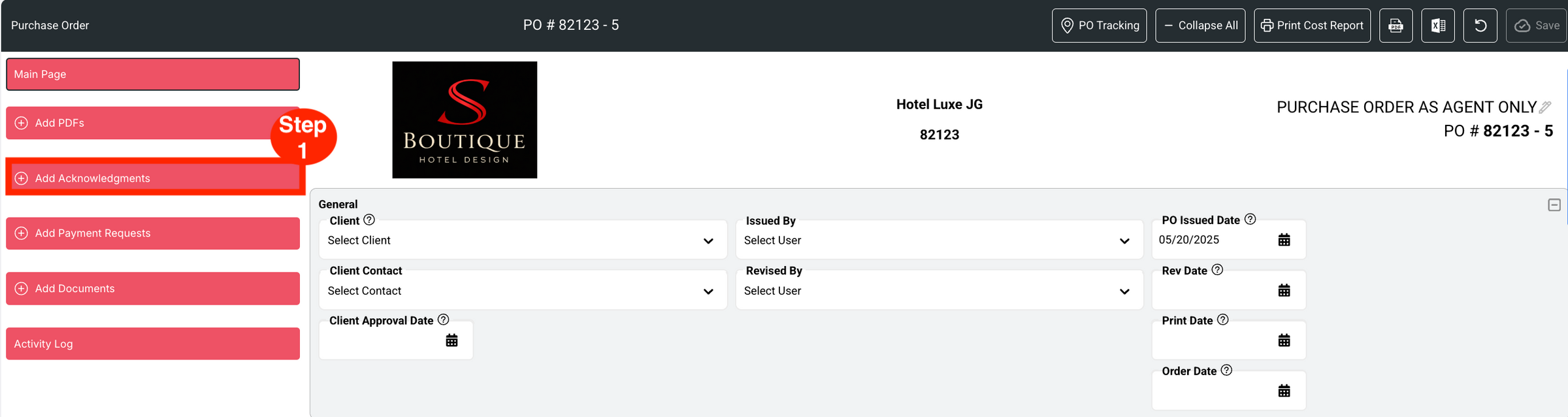
- Step 1: Click on the red button ‘Add Acknowledgements.’
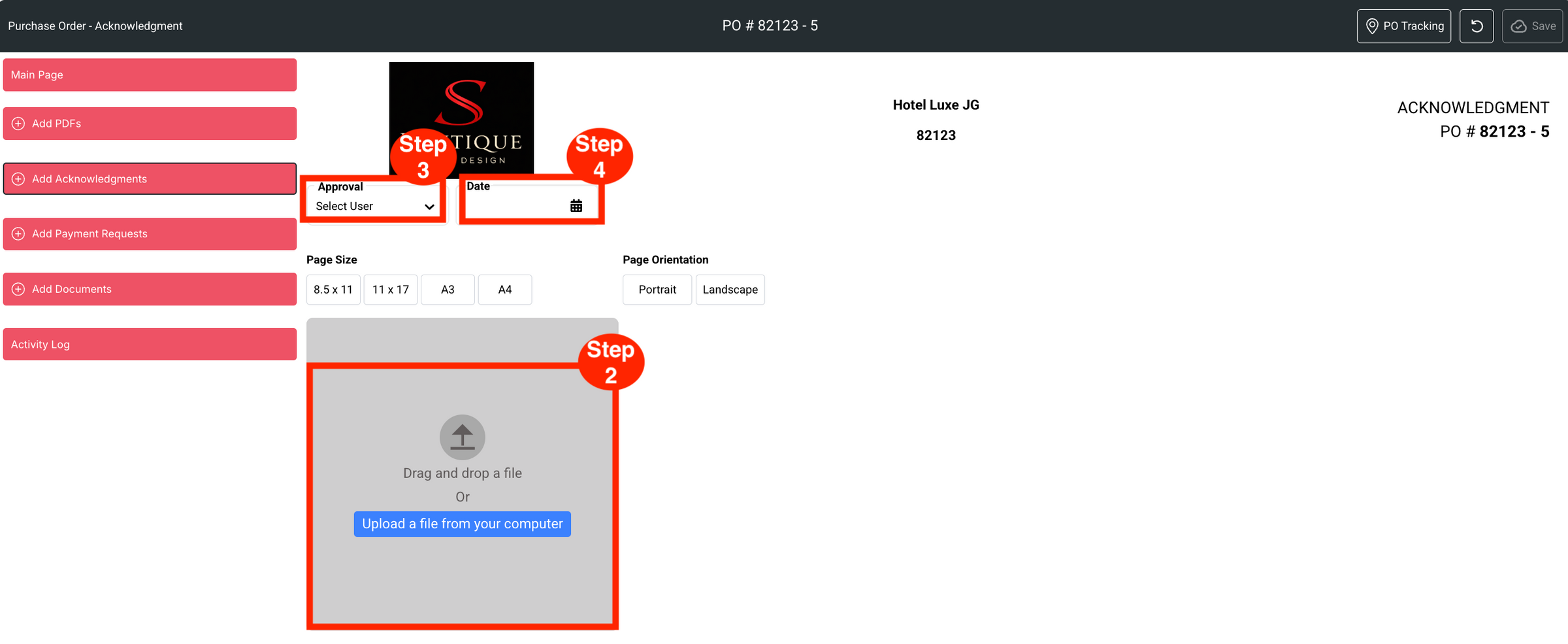
- Step 2: Drag and drop a file or Upload a file from your computer.
- Step 3: Select the Designer to approve the Acknowledgement.
- Step 4: Select the Approval Date.
- Step 5: Select/confirm the Page Size and Page Orientation.
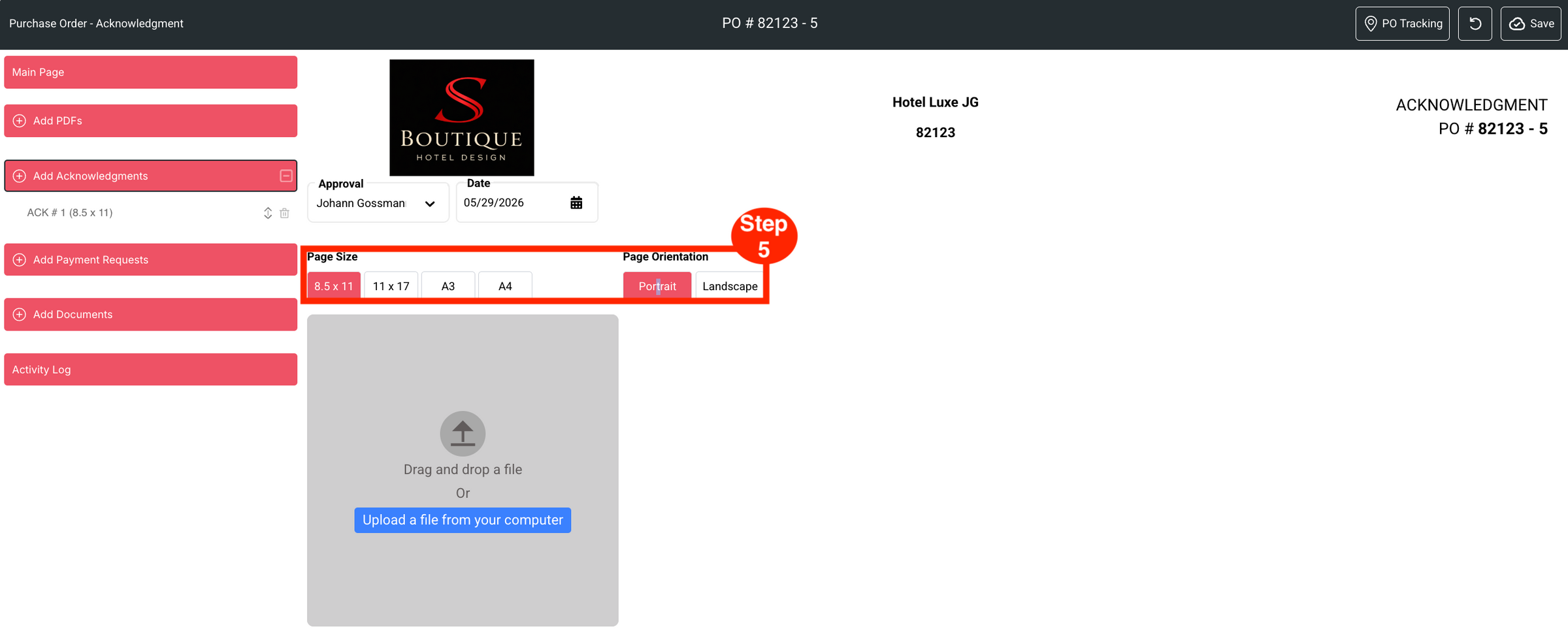
- Step 6: Use the drag-n-drop arrows to arrange in the desired order.

- Step 7: Use the delete Trash bin icon to remove PDFs.
