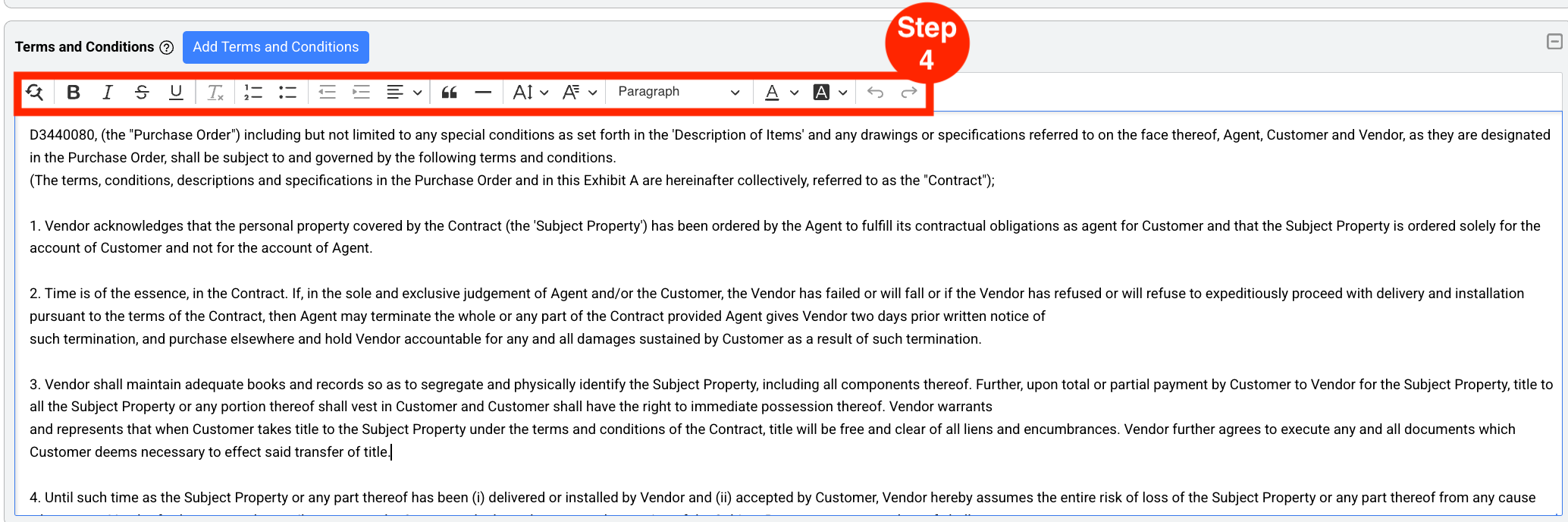
Edit Terms and Conditions section
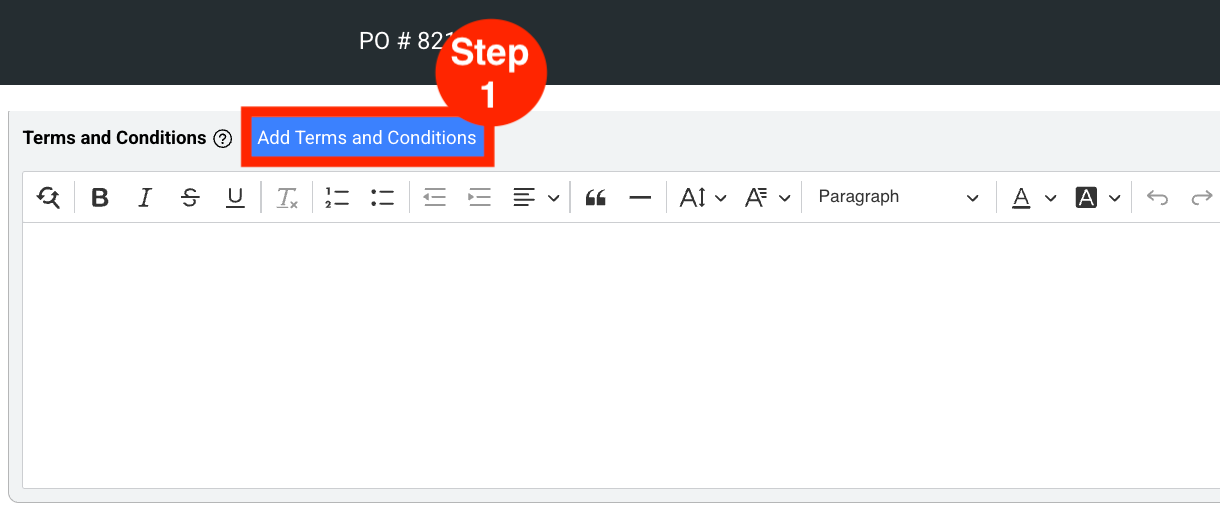
- Step 1: Click on ‘Add Terms and Conditions’.
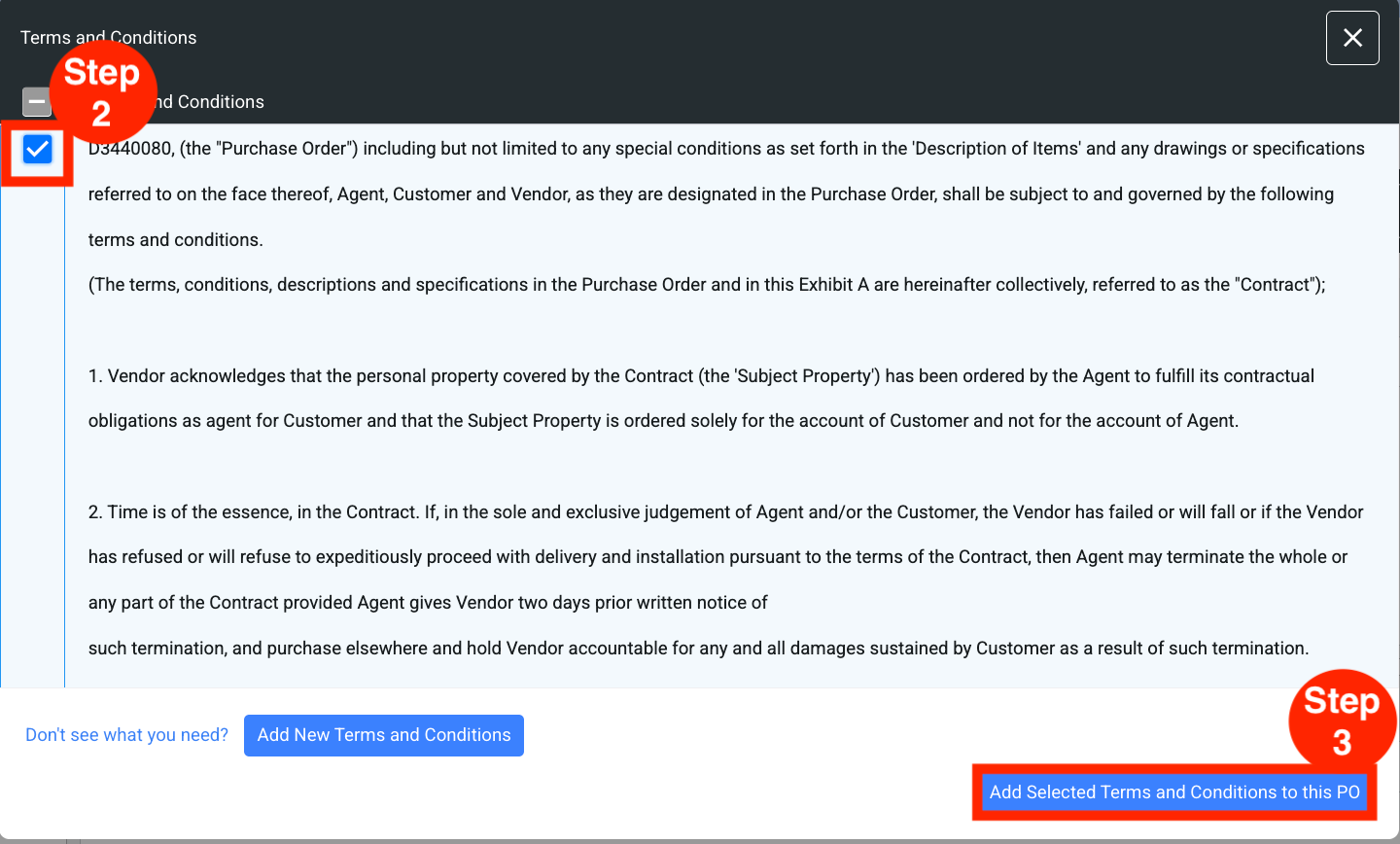
- Step 2: Select the Terms and Conditions note(s).
- Step 3: Click on ‘Add selected Terms and Conditions notes to this PO.’
- Step 4: Modify text formatting as required.
- As an option, Terms and Conditions can be manually entered in the text box as free text and formatted as required.