Add Payment Requests
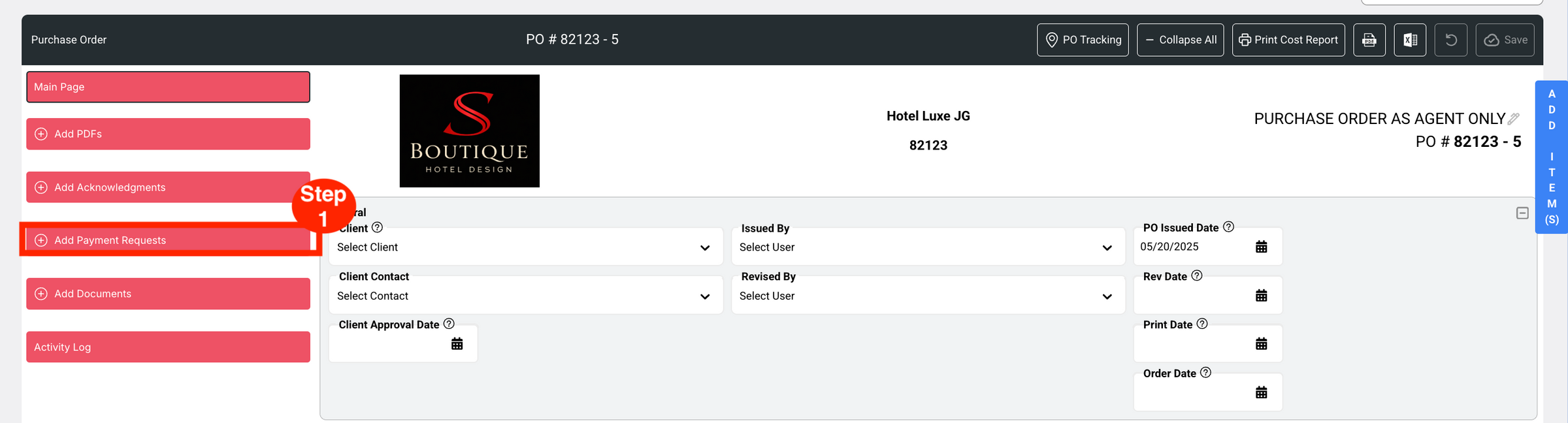
- Step 1: Click on the red button ‘Add Payment Requests’.
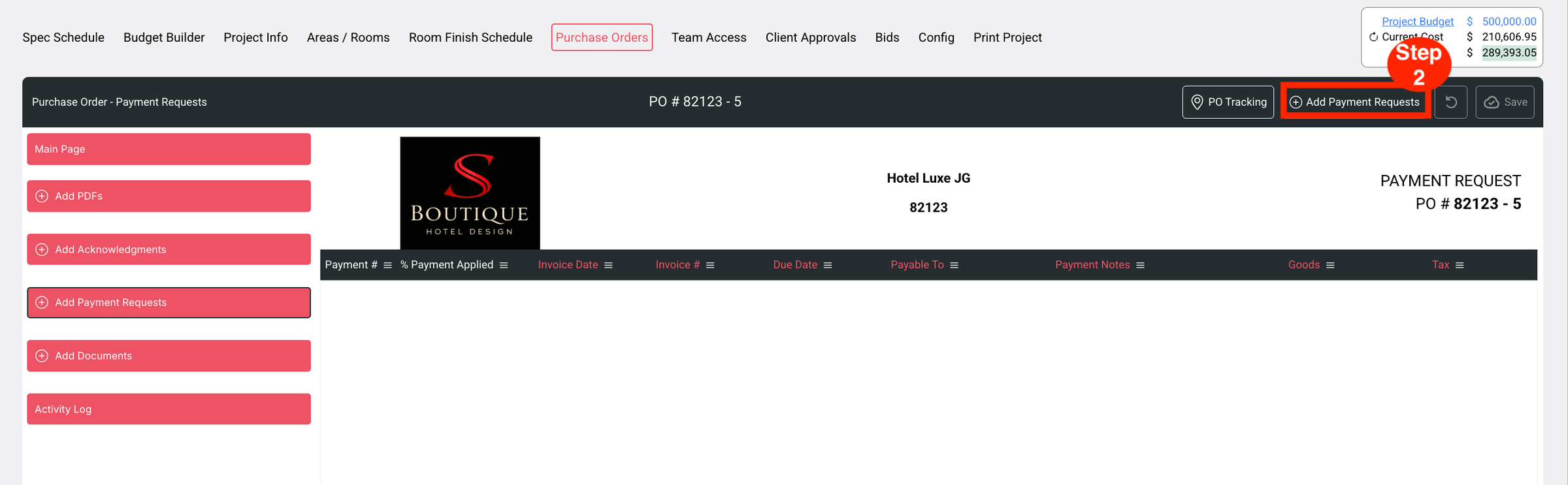
- Step 2: Click on the button in the black header at right ‘Add Payment Requests’.
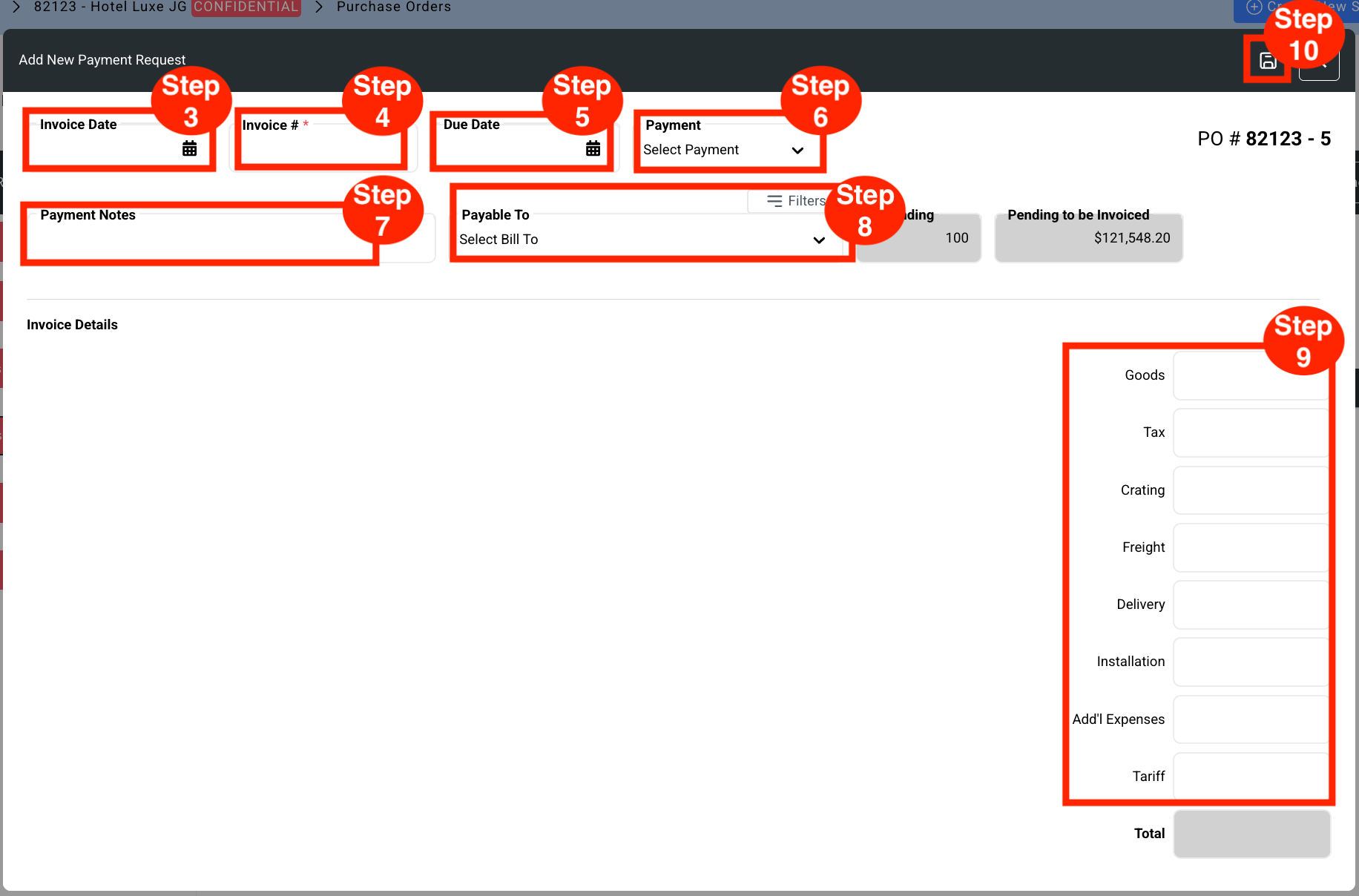
- Step 3: Enter the Invoice Date.
- Step 4: Enter the Invoice # (Required)
- Step 5: Select the Due Date.
- Step 6: Select Payment Option.
- Step 7: Enter Payment Notes. Text is entered manually in this free text field.
- Step 8: Select Payable To.
- Step 9: Enter Invoice Details as required ie>
- Goods
- Freight
- Packing
- Customs
- Add’l Charges
- Overage
- Step 10: Click Save.