Cost Reports
Cost Reports display Project costs in three report types: Cost by Room Type, Cost Summary, and Cost with Items.
Cost by Room Type
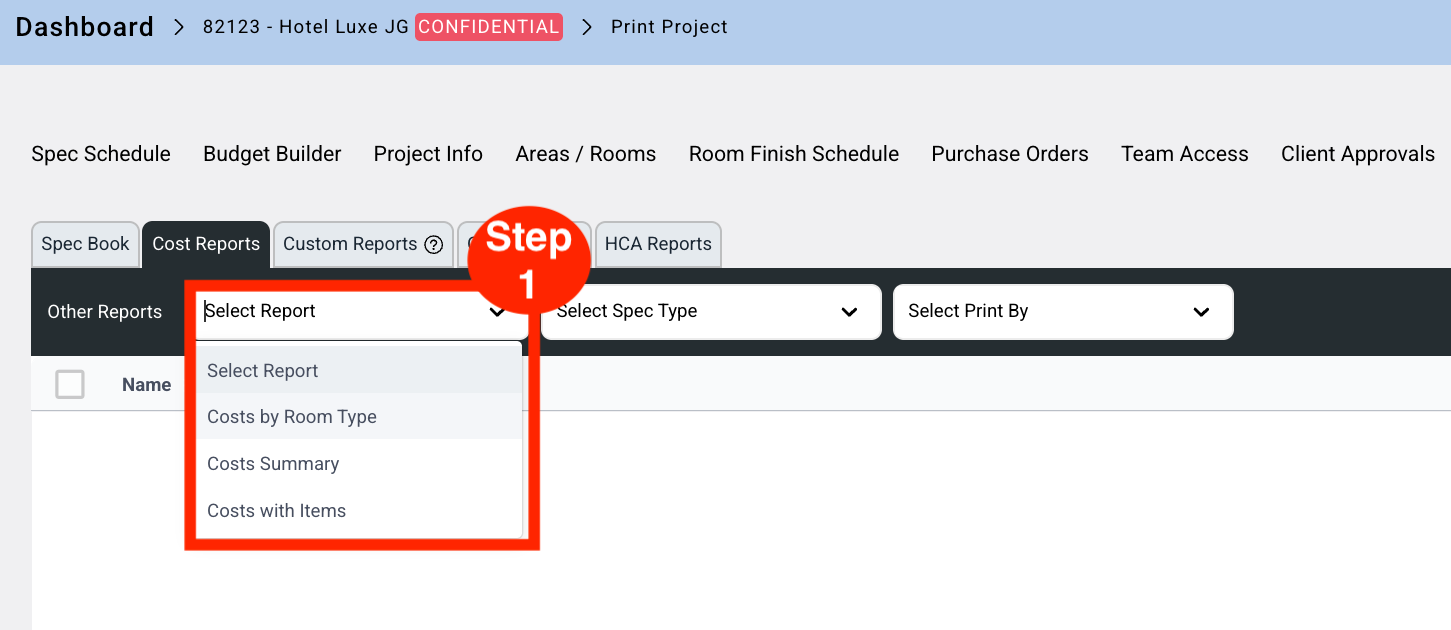
- Step 1: Select Cost by Room Type report from the Report dropdown.
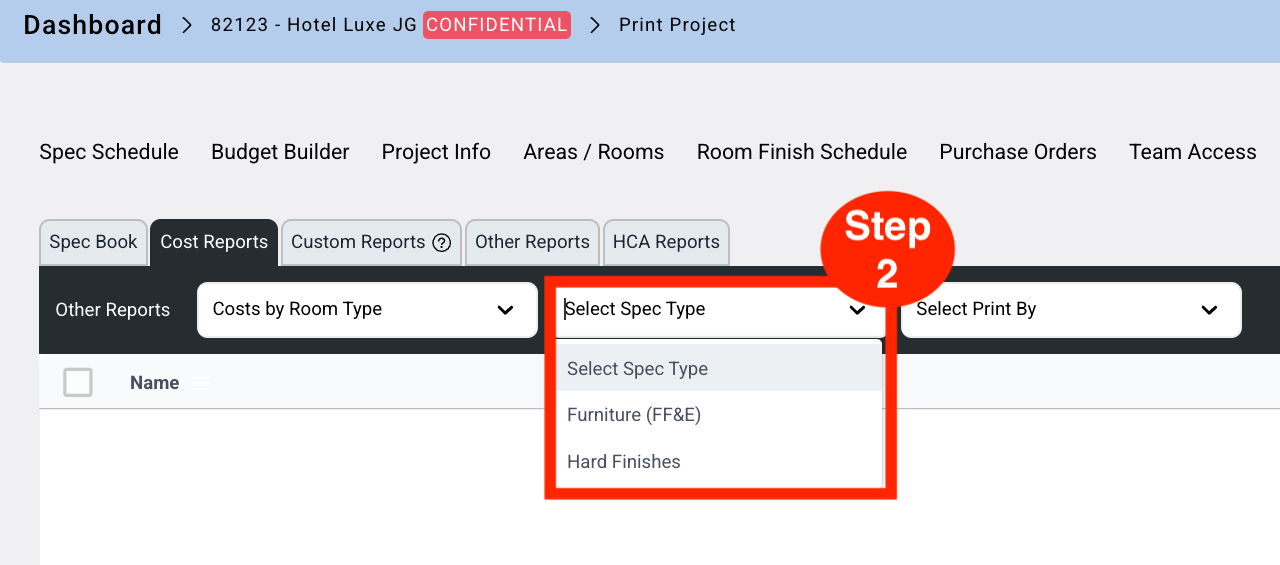
- Step 2: Select the Spec Type from the dropdown.
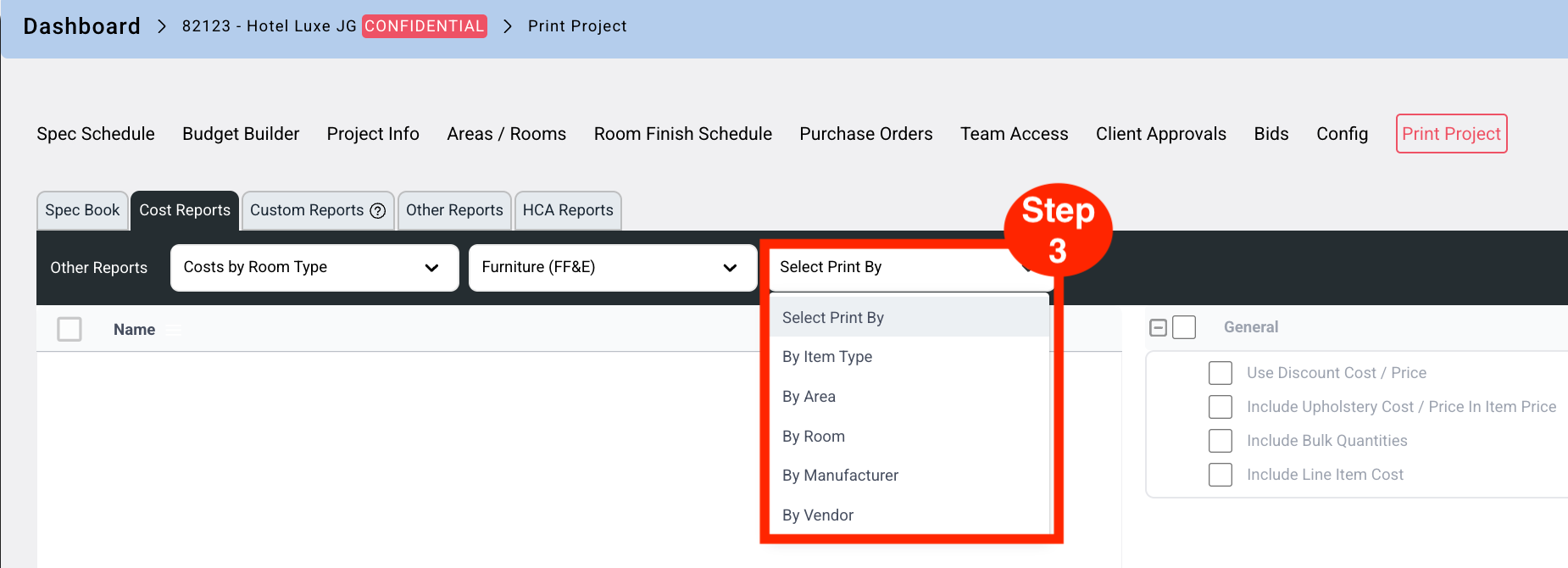
- Step 3: Select 'Print By' from the dropdown.
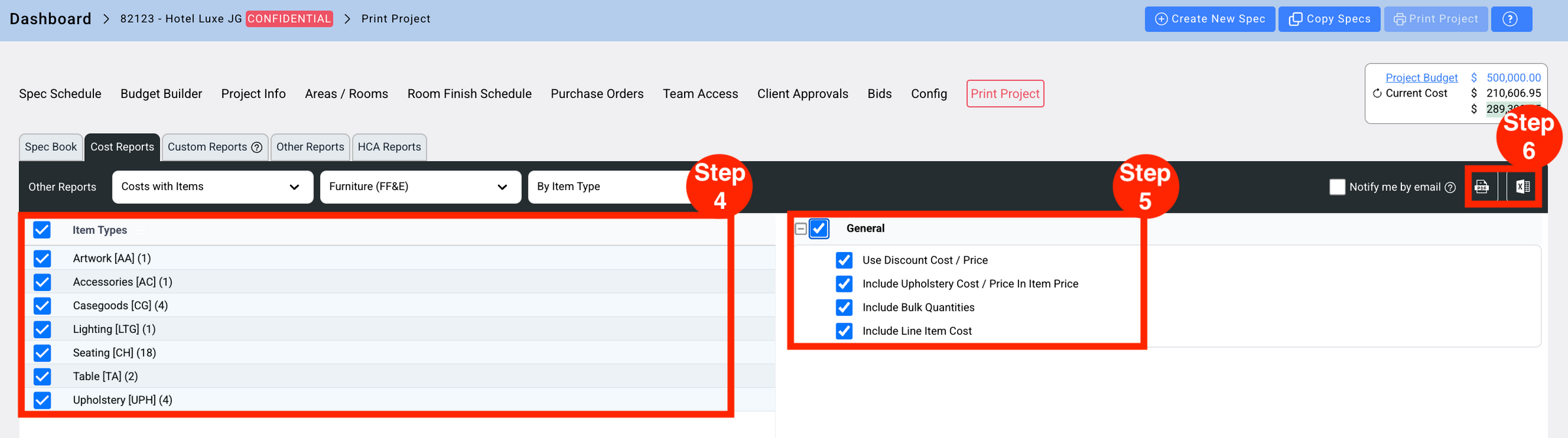
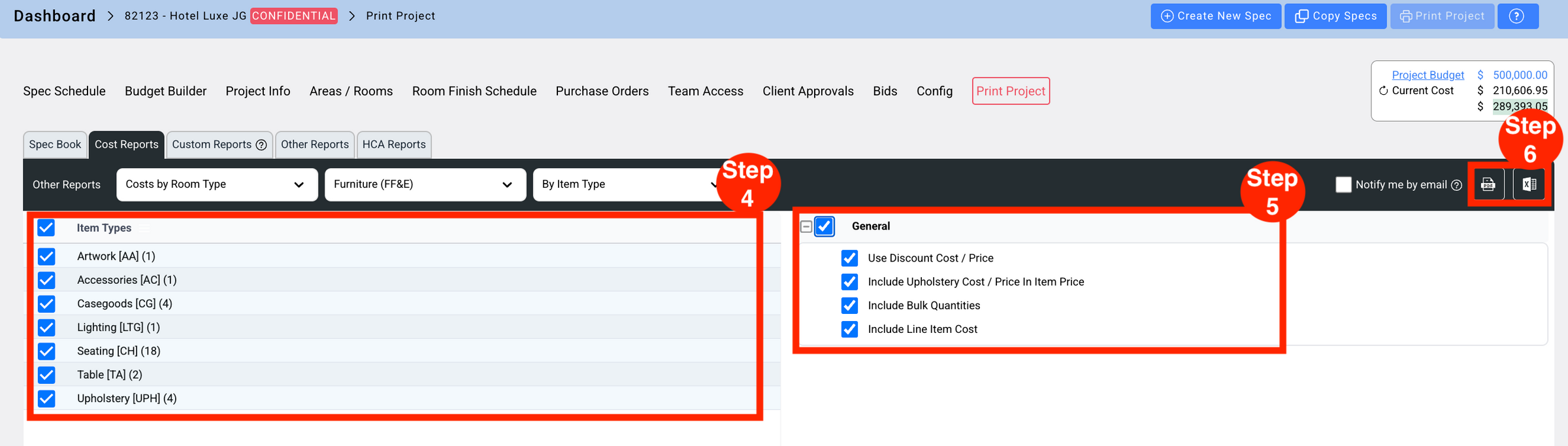
- Step 4: Select the available options for the selected Print By type.
- Step 5: Select options from the General section.
- Step 6: Select PDF or Excel output.
Cost Summary
Cost Summary displays summarized Project costs.
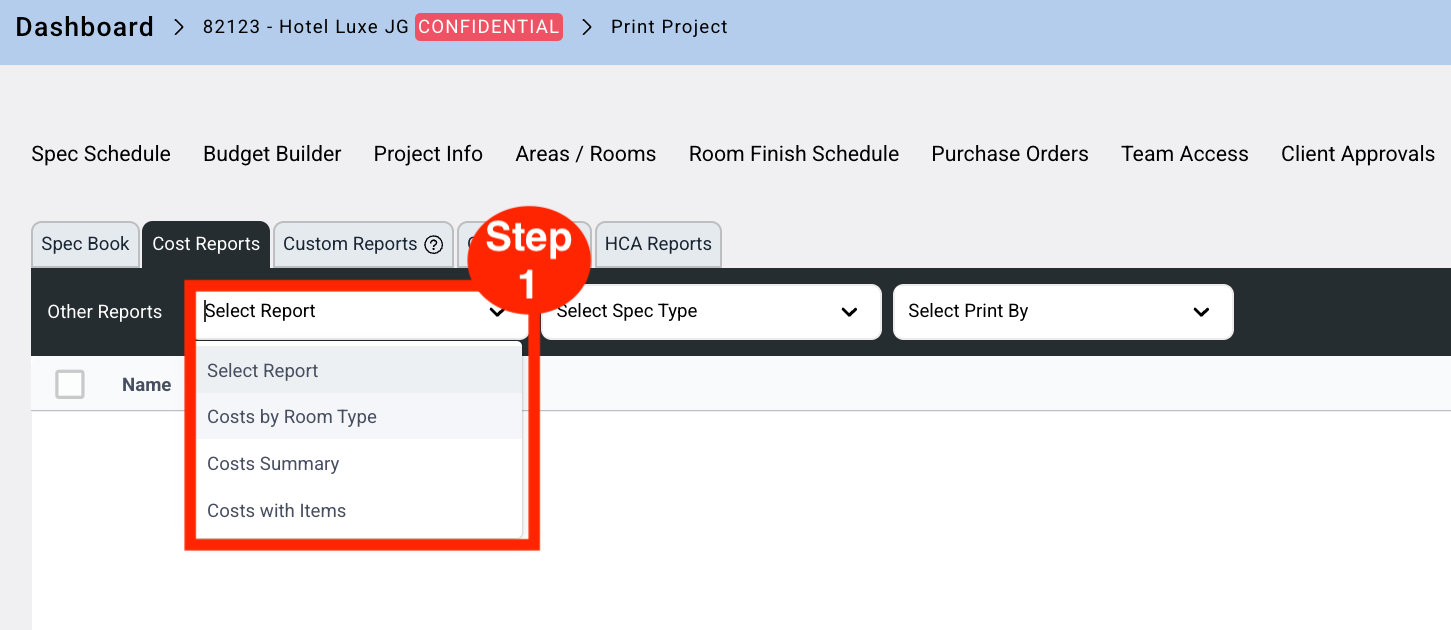
- Step 1: Select Cost Summary report from the Report dropdown.
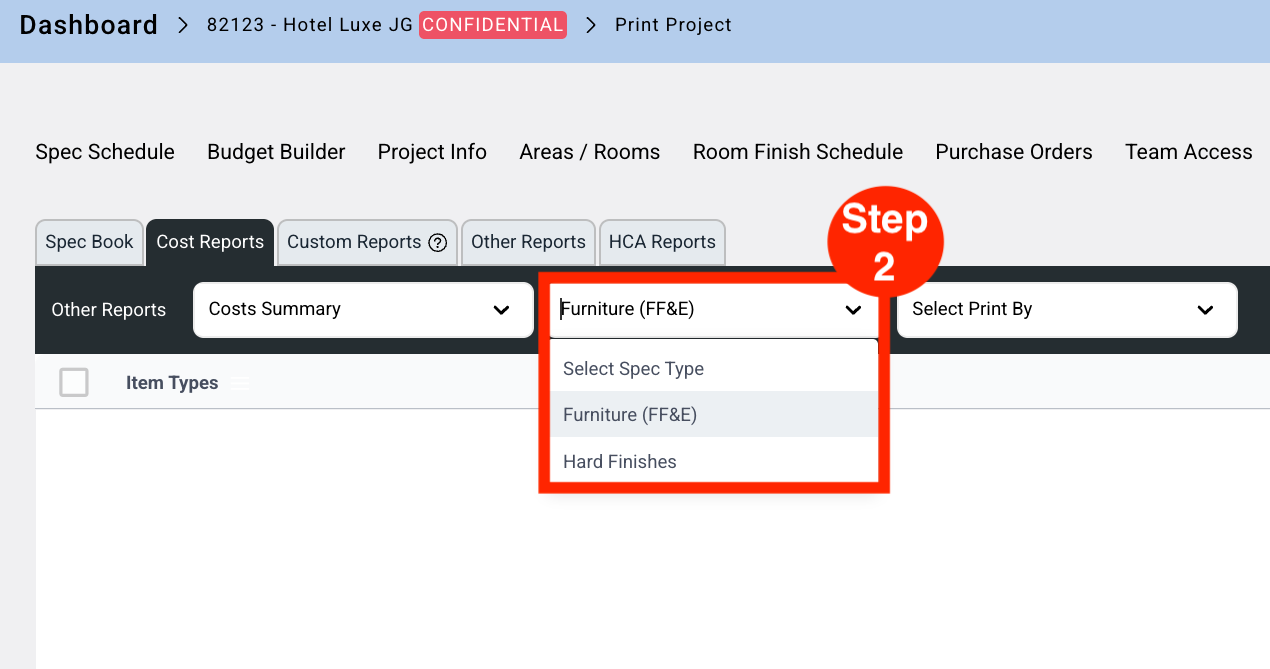
- Step 2: Select the Spec Type from the dropdown.
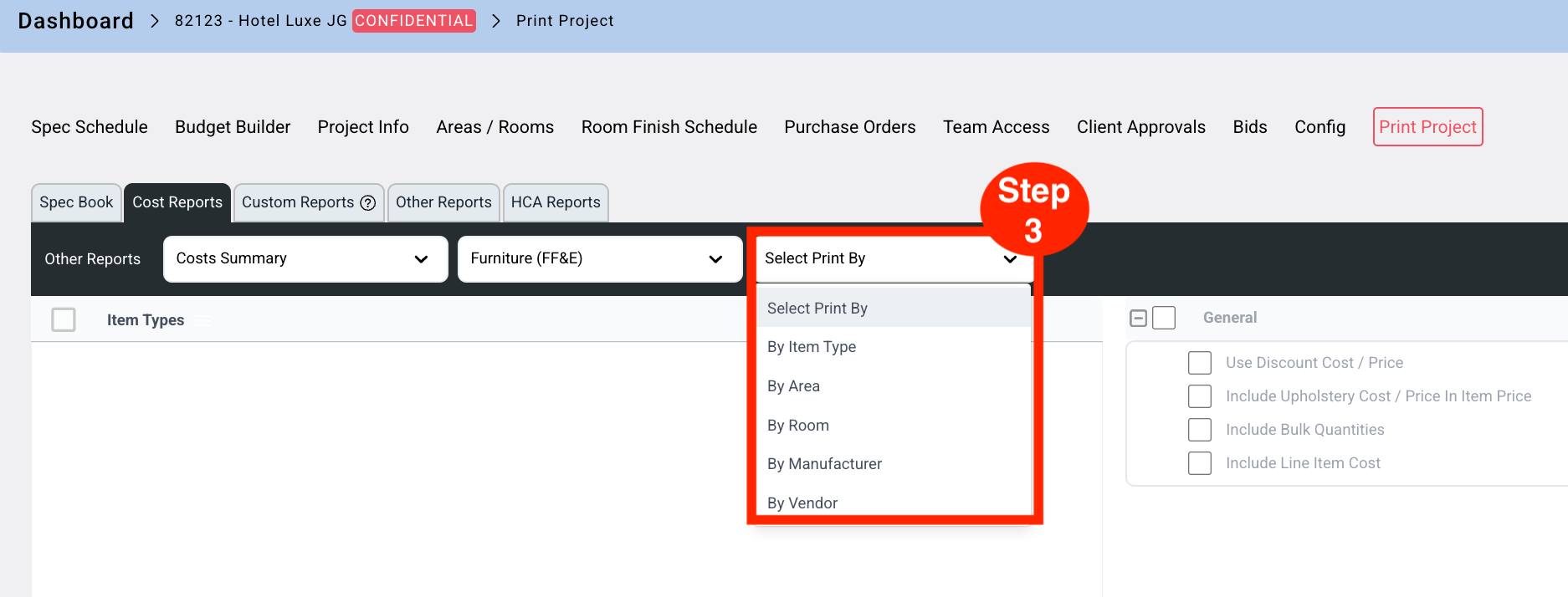
- Step 3: Select 'Print By' from the dropdown.
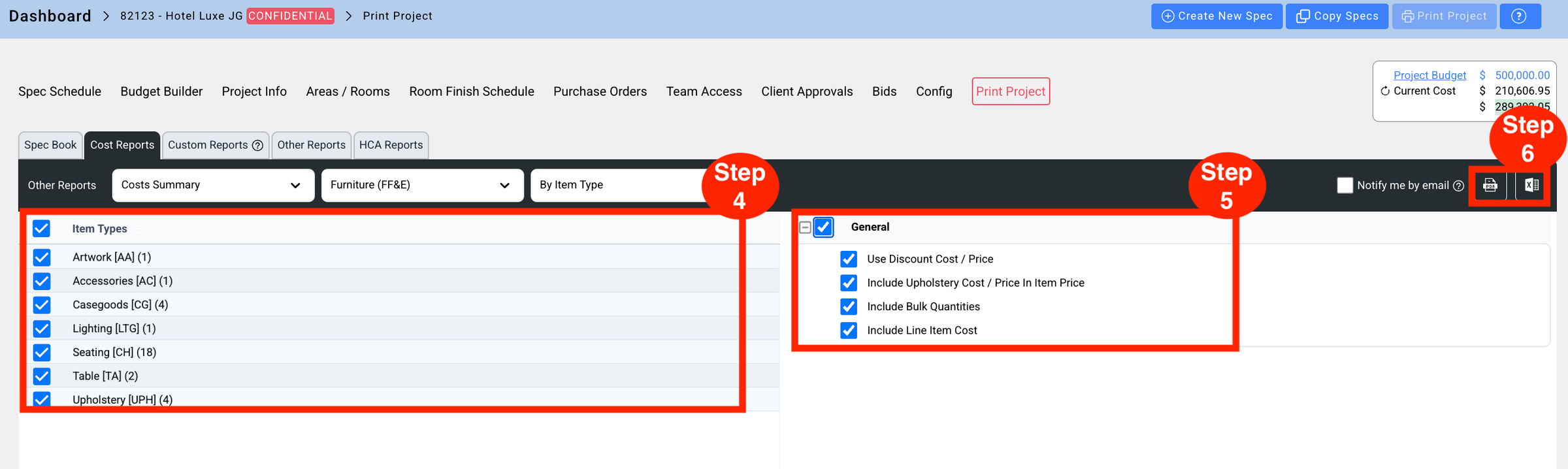
- Step 4: Select the available options for the selected Print By type.
- Step 5: Select options from the General section.
- Step 6: Select PDF or Excel output.
Cost with Items
Cost with Items displays Project costs with Item details.
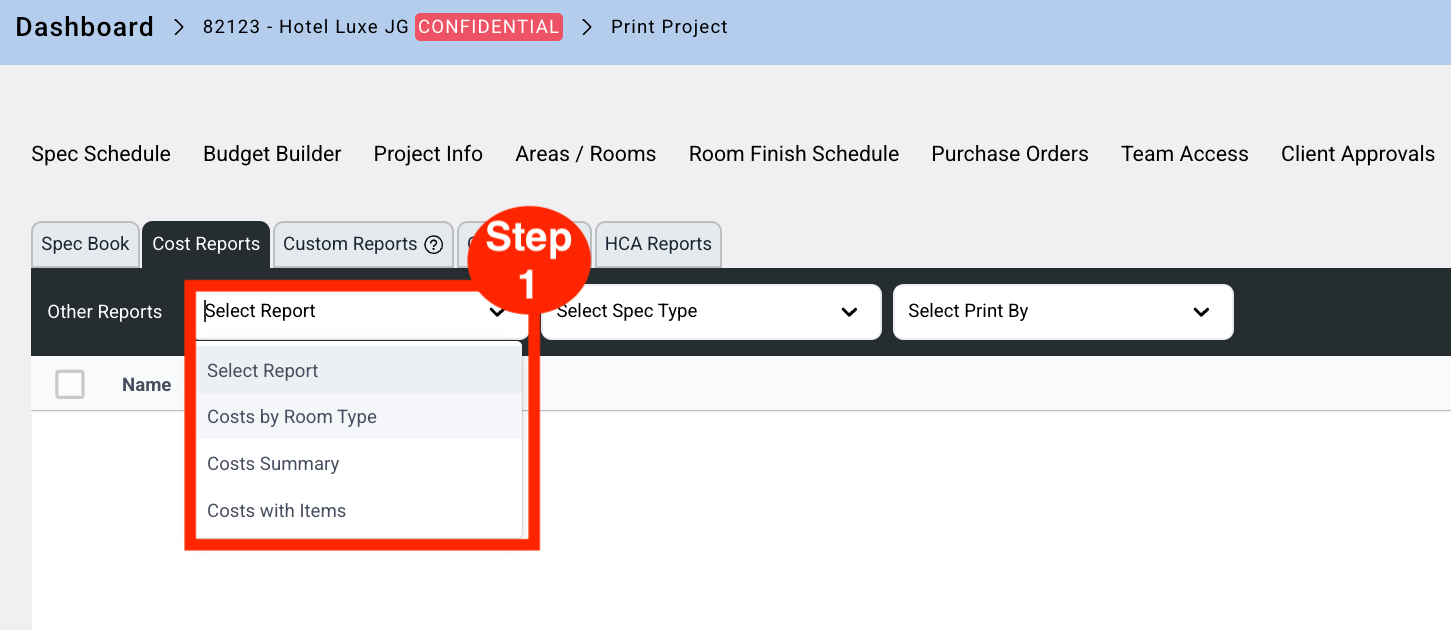
- Step 1: Select the report from the Report dropdown.
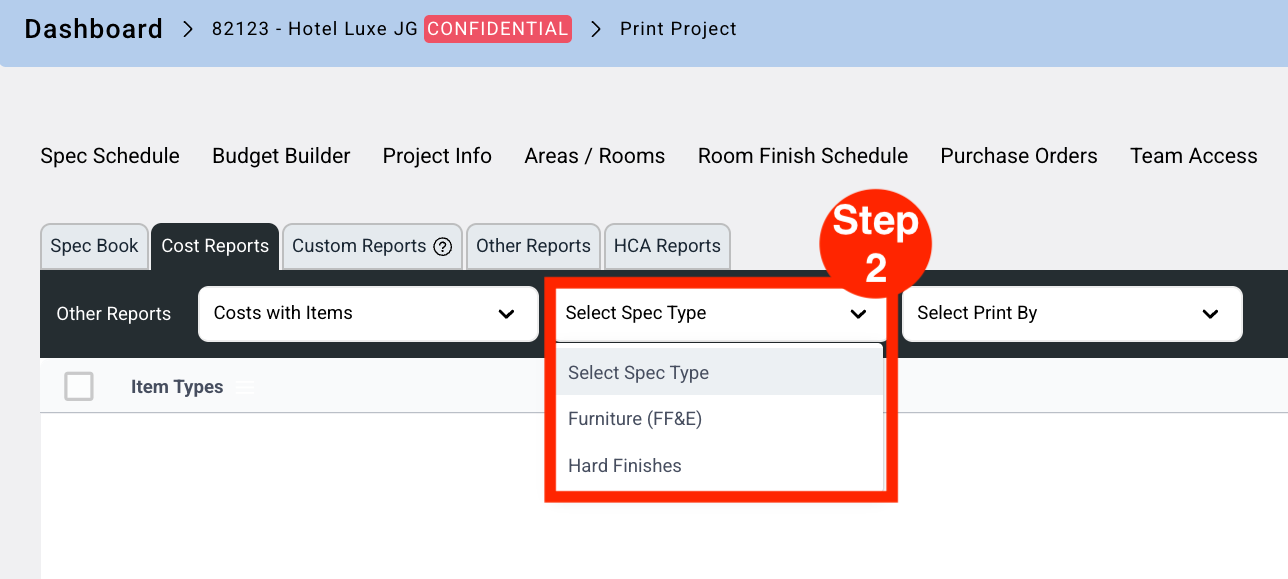
- Step 2: Select the Spec Type from the dropdown.
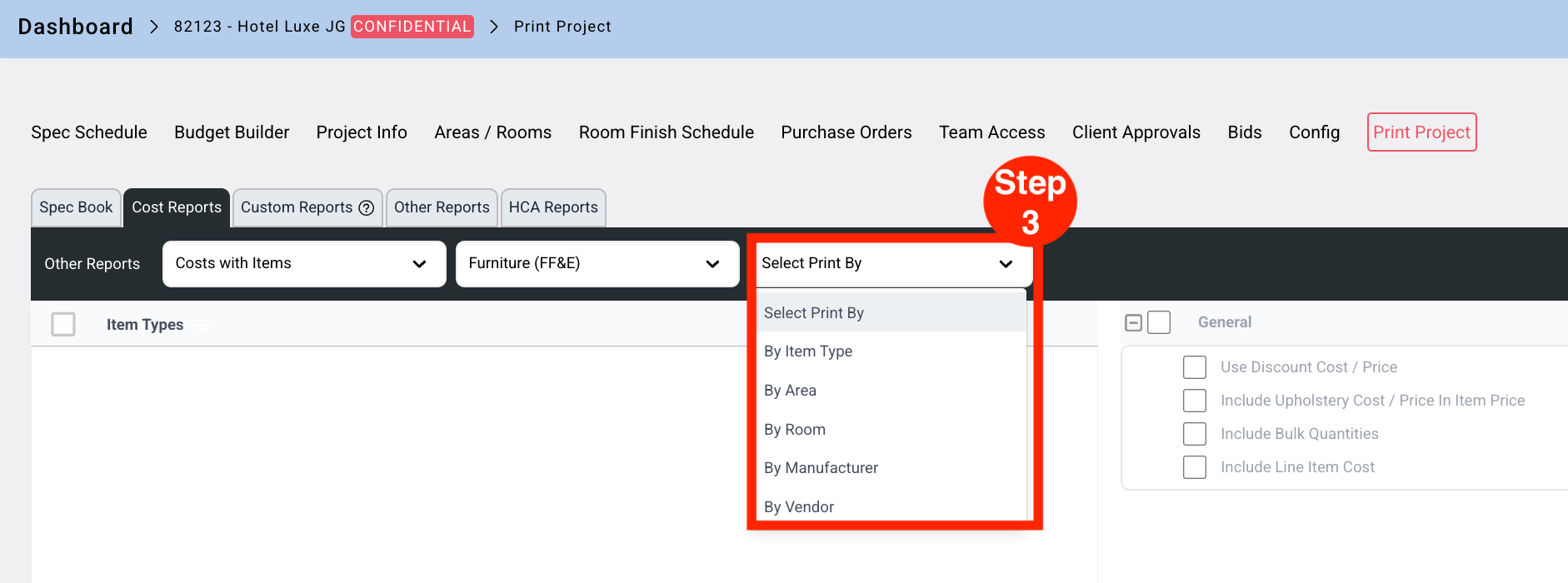
- Step 3: Select 'Print By' from the dropdown.
- Step 4: Select the available options for the selected Print By type.
- Step 5: Select options from the General section.
- Step 6: Select PDF or Excel output.