Export Tools
OVERVIEW
Specification data can be exported in multiple formats to support integration with other software platforms. These exports contain raw data intended primarily for import purposes and are not suitable for reporting, as they may lack contextual formatting and presentation elements.
Format 1 - All Project Data
Generates a generic .csv file that includes all of the specification data
Format 2 - Kameleon
Generates a .sif file that can be imported into Kameleon accounting software. Note, if your firm does not use Kameleon, this export format will not be relevant.
Format 3 - Worxs
Generates a .xlsx file that can be imported into Worxs procurement software. This format exports All Manufacturers, All Vendors and All Specs Data to Excel.
QUICK TUTORIAL
Export Tools
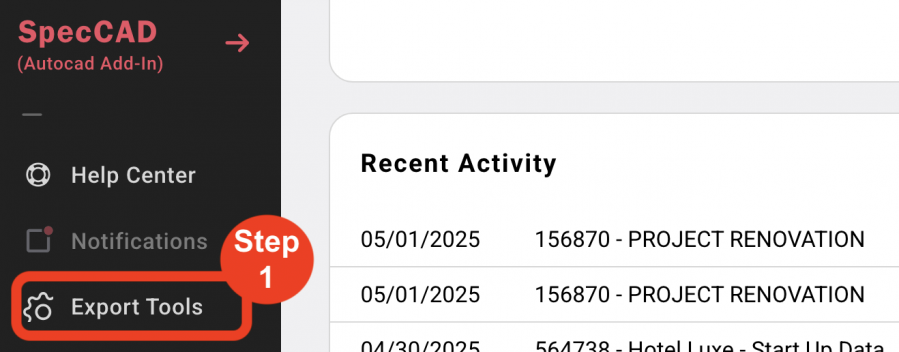
- Step 1: Click on 'Export Tools' in the 'Left Navigation Panel'.
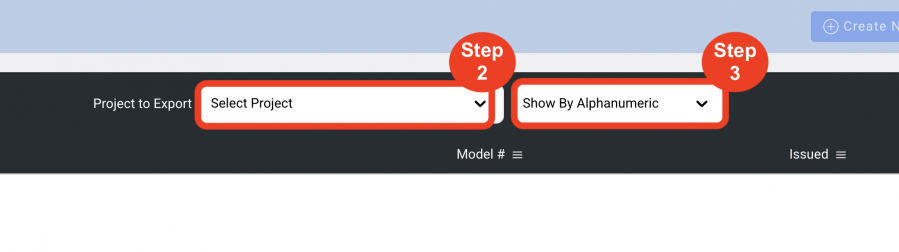
- Step 2: Select a Project to export the data from.
- Step 3: Select a grouping option (optional).
NOTE: This is only affect the grid view. The exported file will always be alphanumeric.
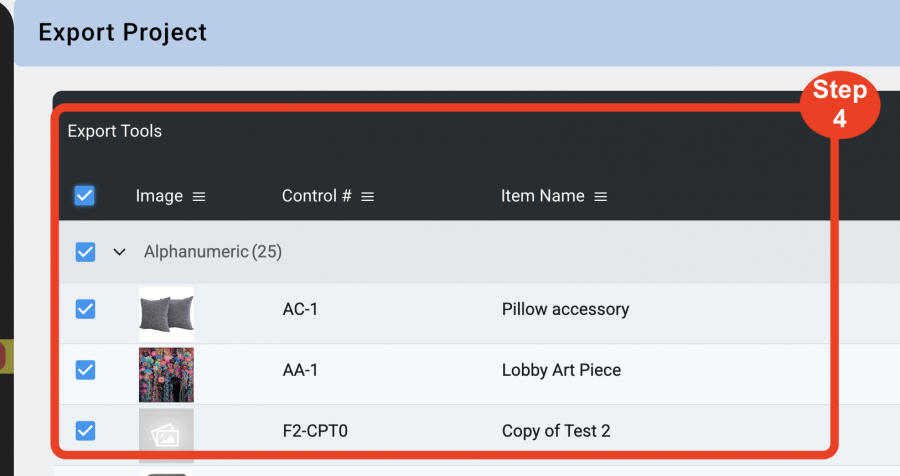
- Step 4: Click on the checkboxes of the Items to export.
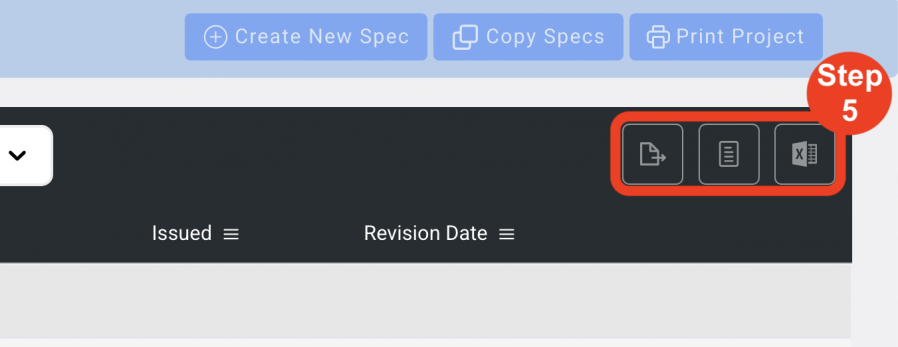
- Step 5: Select one of the 3 export formats from the button in the upper right.
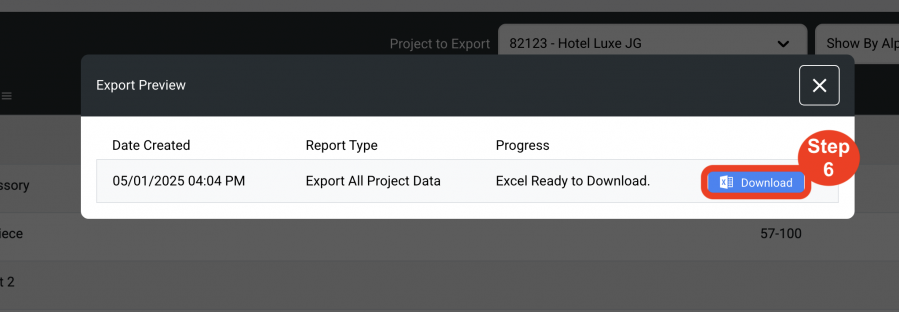
- Step 6: A progress window will open as the export file is being created. When complete click the blue 'Download' button to download the export file.