Packing Instructions
(Roles: Super Admin, IT Manager)
OVERVIEW
Packing Instructions can be boiler plate verbiage that is printed within the body of a Purchase Order. Packing Instructions can be entered in this page by a Super Admin or a PO Manager in one block of text or line by line. This “library” of standard verbiage can be selected and pasted into the PO by the user.
QUICK TUTORIAL
Instructions
Create New Packing Instructions
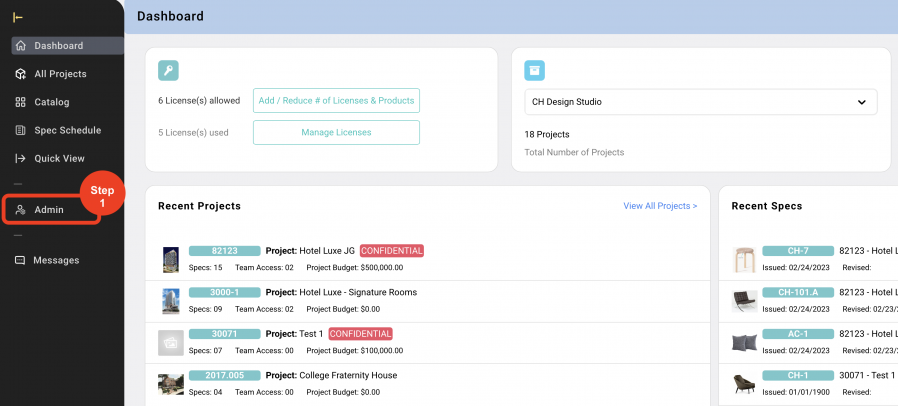
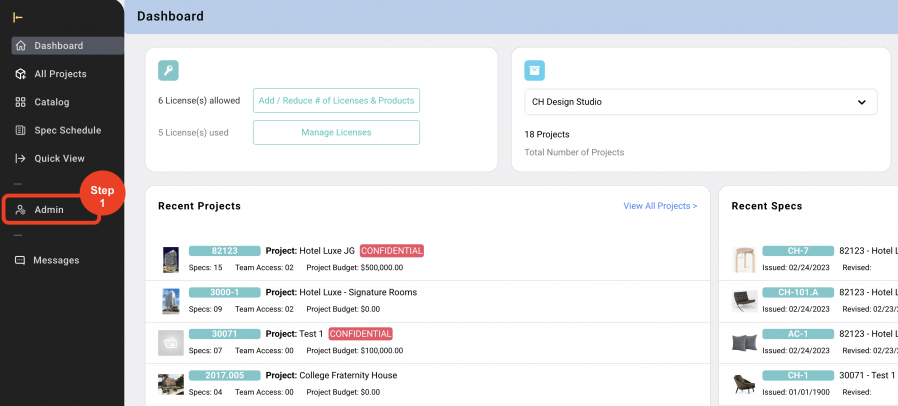
- Step 1: In the Left Navigation click on ‘Admin’.
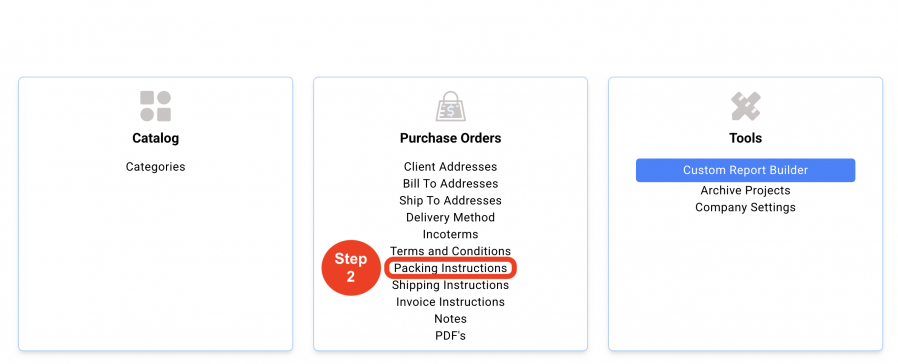
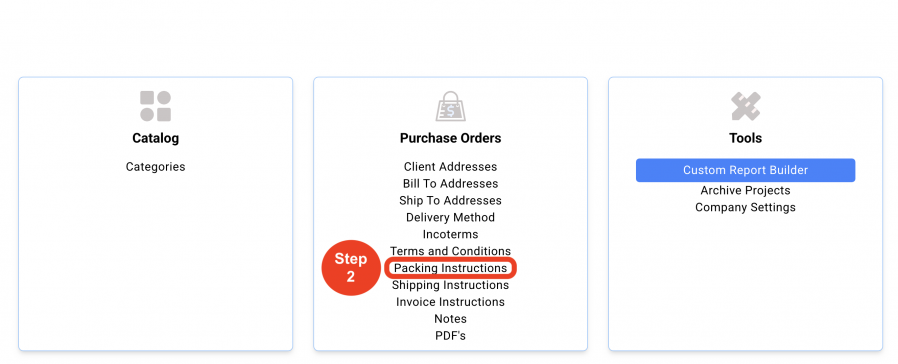
- Step 2: Go to 'Purchase Orders' and click on 'Packing Instructions'.
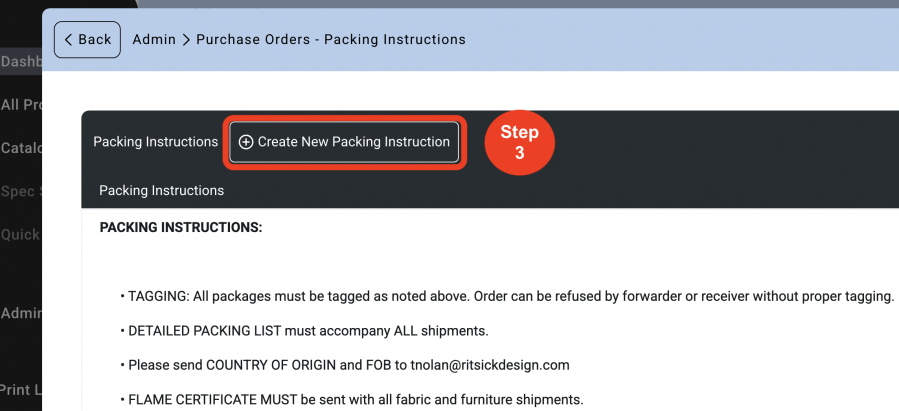
- Step 3: Click on 'Create New Packing Instruction'.
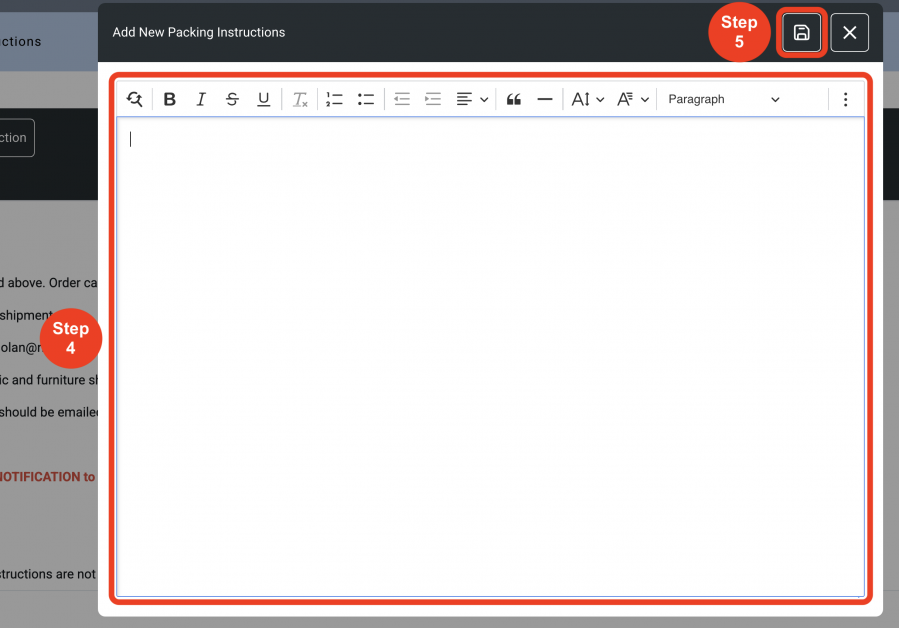
- Step 4: Input the New Packing instruction into the textbox.
- Step 5: Click on 'Save'.
Delete Packing Instructions
- Step 1: In the Left Navigation click on ‘Admin’.
- Step 2: Go to 'Purchase Orders' and click on 'Packing Instructions'.
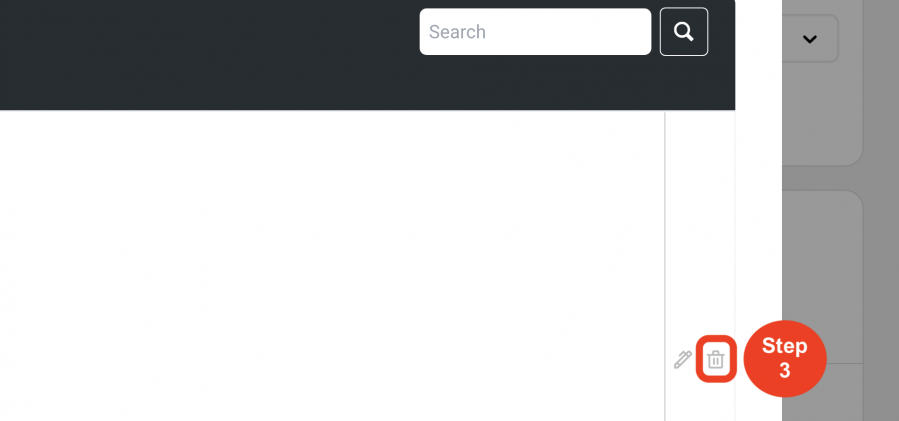
- Step 3: Click on the 'Trash Bin' icon.
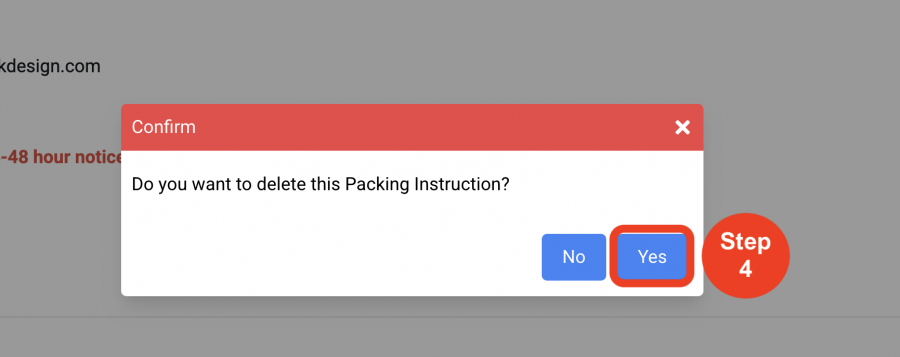
- Step 4: Click on 'Yes'.